 Riftone
Get the App
Riftone
Get the App
AI Vocal Remover & Stem Splitter
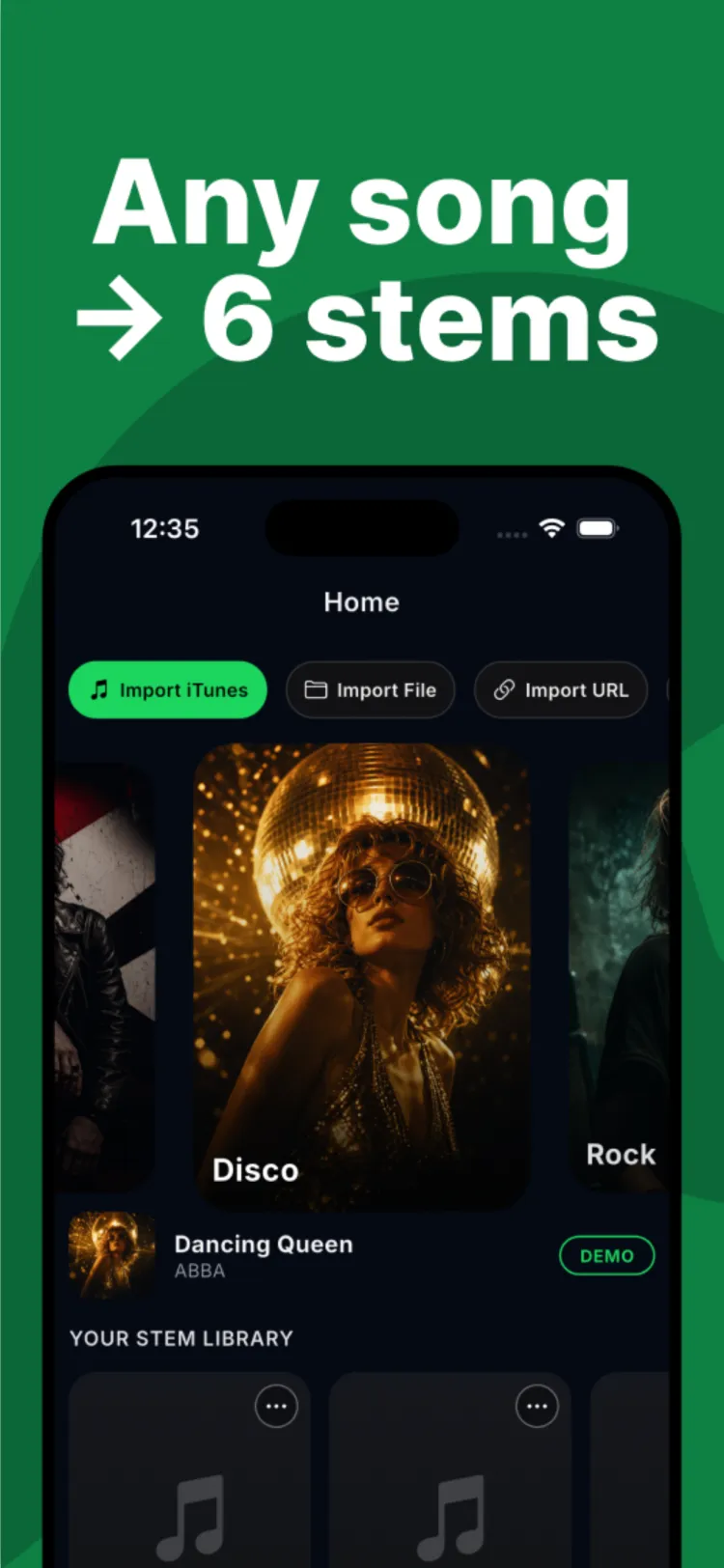
Split Any Song Into 6 Clean Stems
Remove the vocals for a karaoke backing track, isolate the voice for an acapella, or pull apart drums, bass, guitar and piano to remix, sample, or practice — powered by AI.
01 — Import
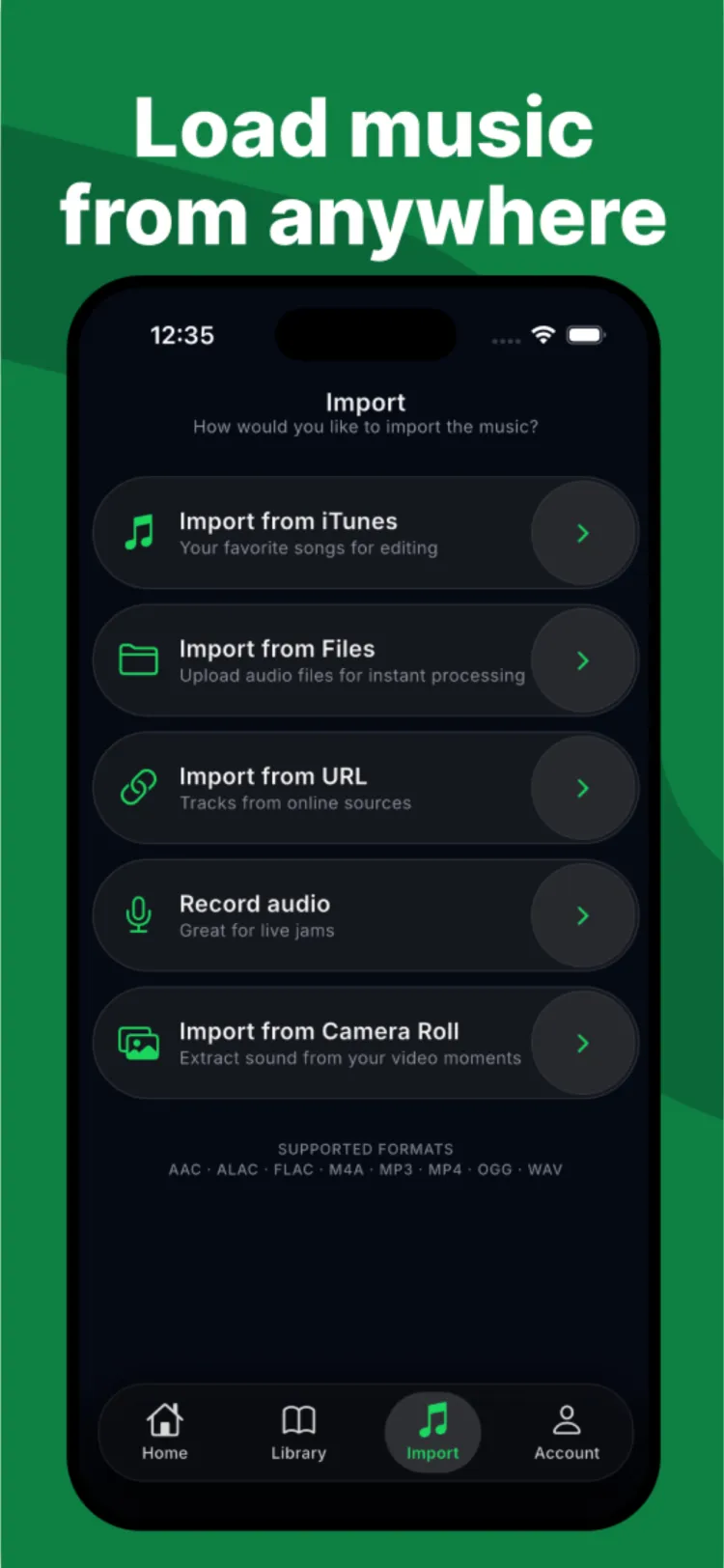
Load Music From Anywhere
Add songs straight from your music library, Files, a URL, the microphone, or a video in your camera roll. No import needed to try it — start with the built-in demo tracks instantly.
- Music library, Files, URL, microphone or video
- AAC, ALAC, FLAC, M4A, MP3, MP4, OGG, WAV
- Built-in demo tracks — nothing to upload first
02 — Separate
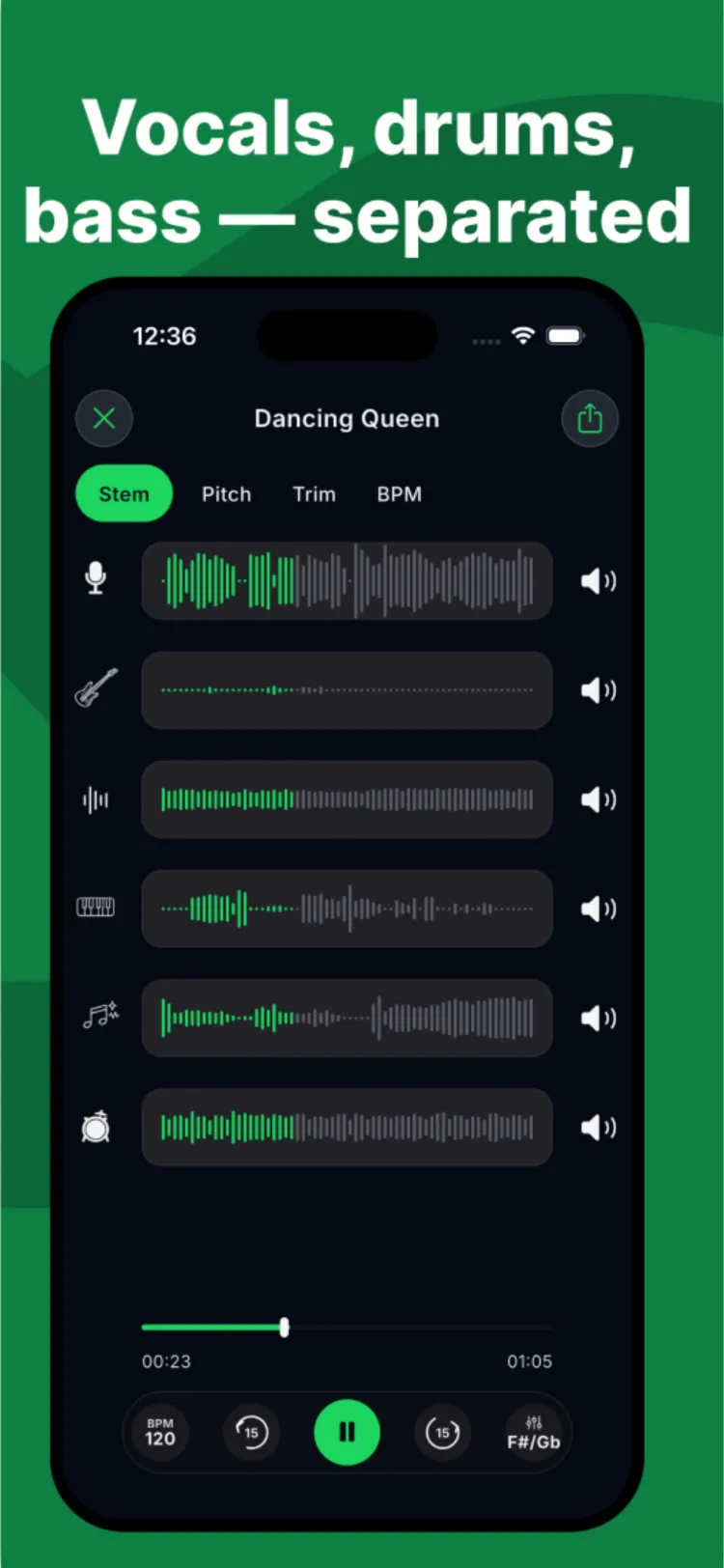
Vocals, Drums, Bass — Separated
Riftone's AI splits any track into 6 clean stems: vocals, drums, bass, guitar, piano and other. Mute or solo any track to remove vocals for karaoke, isolate them for an acapella, or rebuild the mix.
- 6 stems, mixed and muted independently
- Instrumental / karaoke backing track in one tap
- Clean acapella extraction for sampling
03 — Perform
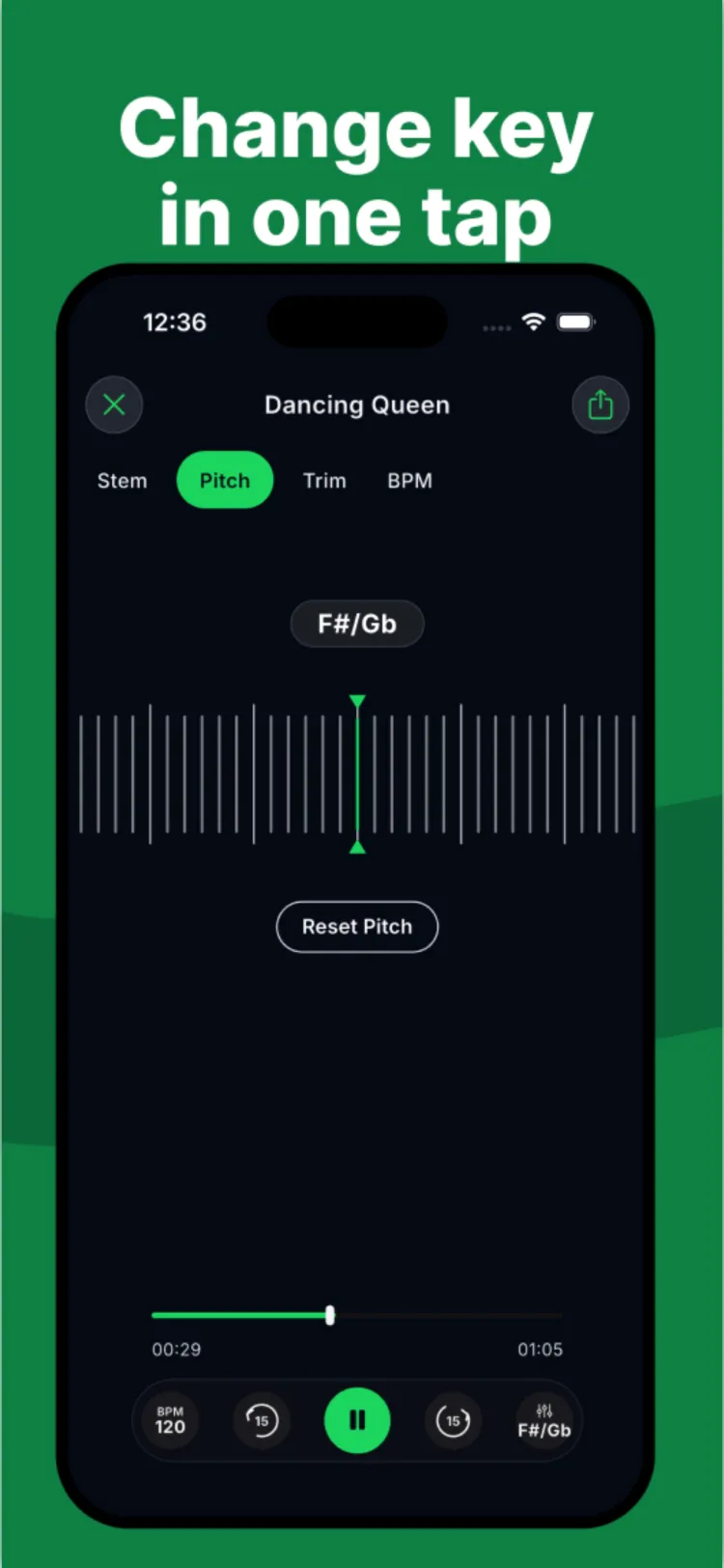
Pitch, Tempo & Trim — Studio Control
Shift pitch ±12 semitones without changing speed, change tempo with a tap-along metronome, and trim sections before you export your mix or the separated stems.
- ±12 semitone pitch shift, tempo stays locked
- BPM detection and tap metronome for practice
- Trim, export mix or individual stems
Made for singers, DJs and producers who want clean stems fast
Frequently asked questions
How does Riftone remove vocals from a song?
Riftone's AI separation model analyzes the track and splits it into 6 independent stems — vocals, drums, bass, guitar, piano and other. Mute the vocal stem to get an instant instrumental or karaoke backing track.
Can I isolate vocals for an acapella?
Yes. Solo the vocal stem to extract a clean acapella you can sample, remix, or layer into your own project.
What audio formats and sources can I import?
Import from your music library, the Files app, a direct URL, a live microphone recording, or a video in your camera roll. Supported formats include AAC, ALAC, FLAC, M4A, MP3, MP4, OGG and WAV.
Can I change the key or tempo of a stem?
Yes. Shift pitch up to ±12 semitones without changing playback speed, adjust tempo, and use the built-in metronome to practice or rehearse along with the separated stems.
Is Riftone free?
Riftone is free to download with demo tracks to try instantly. Riftone Premium unlocks unlimited AI song separation as an auto-renewing subscription, cancelable anytime in Settings.
Free to try · Premium unlocks unlimited AI separation